

Coming soon. This feature is in review. Until it ships, a campaign sends emails from every connected mailbox of its LinkedIn accounts.
Pick mailboxes
1
Open the LinkedIn accounts picker
In the flow builder, select Start and open LinkedIn accounts.
2
Check the Senders tab
Each LinkedIn account shows how many of its mailboxes are picked, for example 1/2 mailboxes.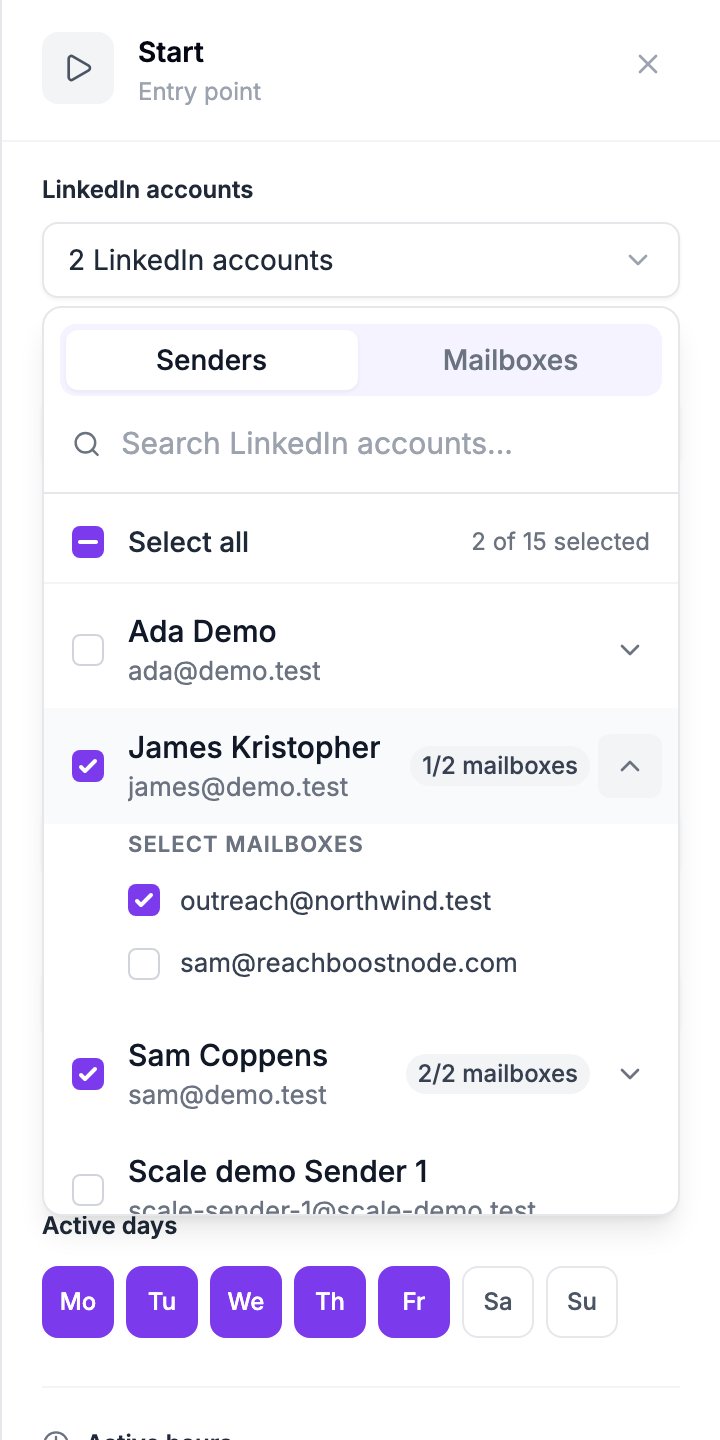
3
Pick mailboxes in the Mailboxes tab
Tick the mailboxes that should send. Ticking a mailbox of an account that isn’t selected yet selects that account too. With many mailboxes, type part of an address or a name to filter the list.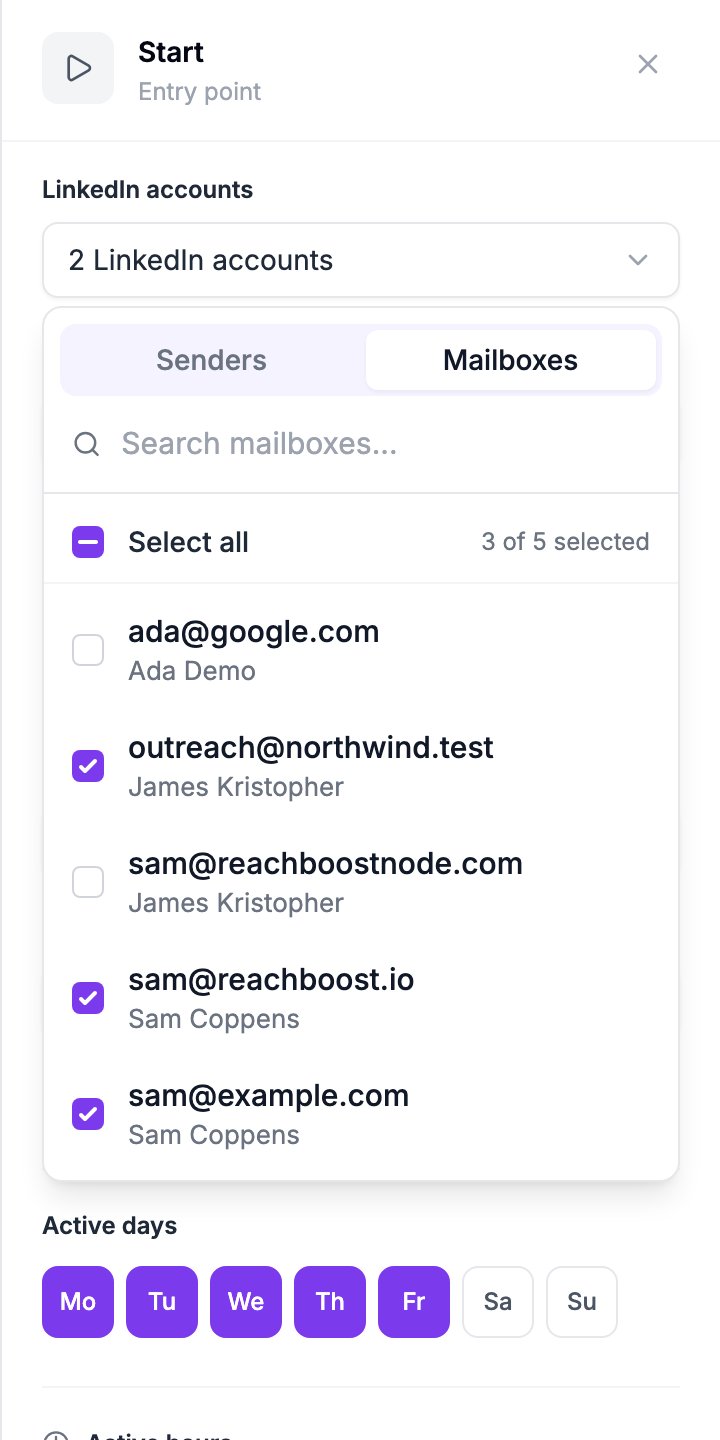
When saving fails
If a flow has an Email step, every selected LinkedIn account that has mailboxes needs at least one picked mailbox. Otherwise Save names the account to fix.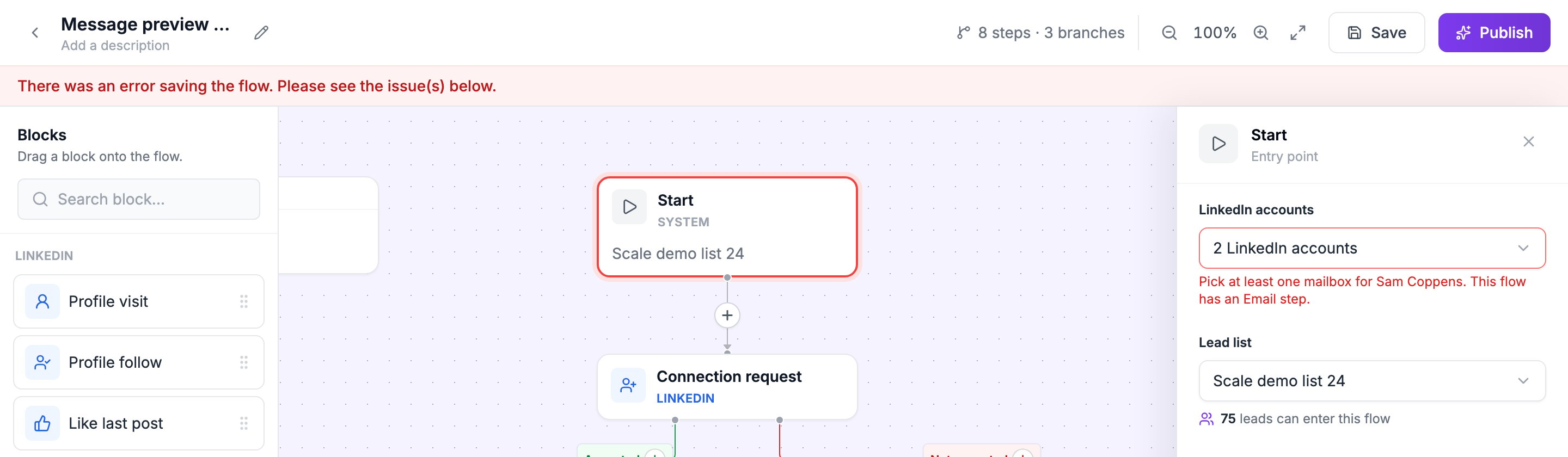
Save names the LinkedIn account that has no picked mailbox.
If you add a LinkedIn account to the campaign another way, for example through the API, all its connected mailboxes are picked.